
What Does “Rip” Mean for YouTube Videos?
“Rip” is informal slang for extracting or copying media from a source — originally from ripping CDs. For YouTube, it means downloading the video or audio stream and saving it as a file on your computer or phone. ClipSaver rips the public video link into MP4 (full video) or MP3 (audio only) without installing ripper software.
Ripping copyrighted content without permission may violate YouTube’s Terms of Service and copyright law. ClipSaver is not affiliated with YouTube or Google.
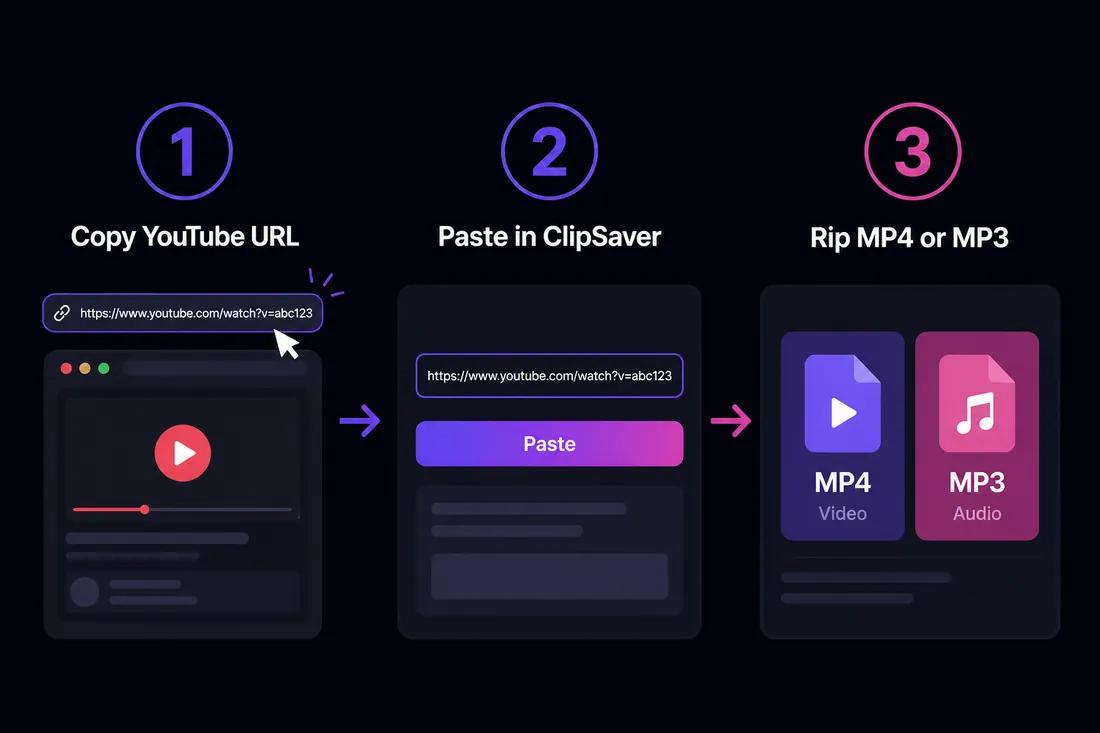
How to Rip YouTube Videos with ClipSaver
- 1
Copy the YouTube video URL
Open the video on youtube.com or in the YouTube app. Tap Share → Copy link on mobile, or copy the URL from your browser’s address bar on desktop.
- 2
Open ClipSaver in your browser
Go to ClipSaver’s YouTube video downloader. Works on Windows, Mac, iPhone, and Android — no ripper program to install.
- 3
Choose MP4 or MP3 and download
Paste the link, click Download, select MP4 to rip the full video or MP3 to rip audio only, and save the file.
Rip a YouTube video now
Paste your link on our YouTube tool page — free, no install.
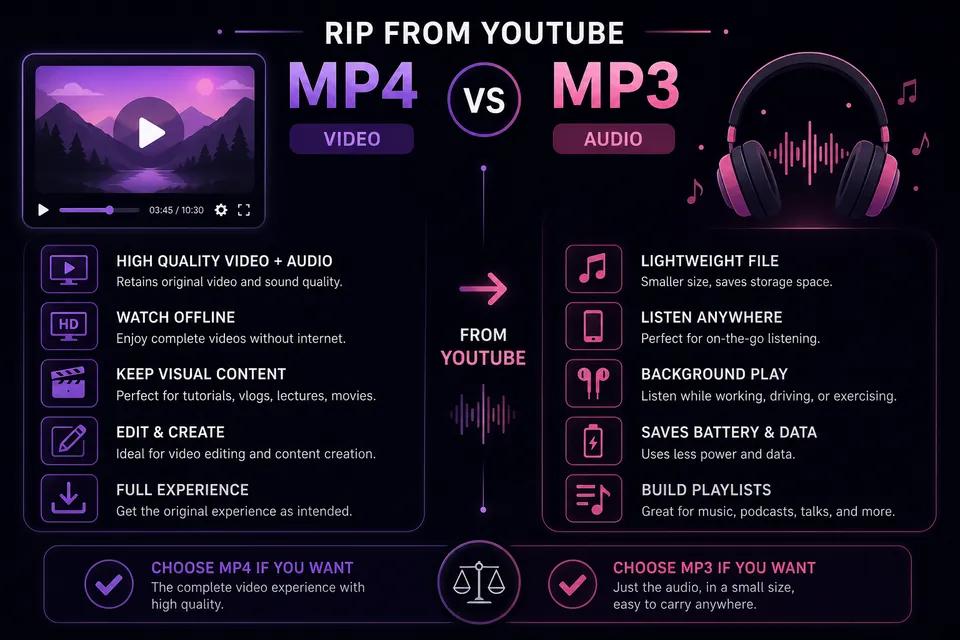
Open YouTube Video DownloaderMP4 vs MP3: What to Rip
| Format | What you get | Best for |
|---|---|---|
| MP4 | Full video + audio | Tutorials, clips, offline viewing |
| MP3 | Audio only | Music, podcasts, lectures, soundtracks |
ClipSaver vs Desktop Ripper Software
Traditional YouTube rippers are desktop programs or command-line tools (like yt-dlp) that require installation and updates. ClipSaver rips videos in your browser — paste a link and download. No registry changes on Windows, no Homebrew on Mac, and no Python setup. For a technical CLI alternative, see our yt-dlp safety guide.
Rip YouTube on Phone and Computer
Phone (iPhone & Android)
Copy the YouTube link, open ClipSaver in Safari or Chrome, paste the URL, and download. See our phone download guide for device-specific tips.
Computer (Windows & Mac)
Copy the URL from youtube.com and paste it into the YouTube video downloader. Files save to your Downloads folder. See how to download on computer for more detail.
Tips When Ripping YouTube Videos
- Only rip videos you own or have explicit permission to download.
- Pick 720p for smaller files; 1080p when quality matters.
- Use MP3 to rip audio from music videos or podcasts.
- Shorts rip the same way — copy the Shorts URL and paste into ClipSaver.
For legal questions, read our YouTube download legality guide.
Frequently Asked Questions
Related download tools
ClipSaver is not affiliated with Instagram or Meta. Only download content you have the right to save.