Can You Download YouTube Videos to Your Phone?
Yes. Neither iPhone nor Android includes a built-in YouTube downloader, and most “YouTube downloader” apps in app stores are unreliable or removed. The simplest method works on both platforms: copy the video URL from the YouTube app, open ClipSaver in your mobile browser, paste the link, and save the file.
Only download content you own or have permission to save. ClipSaver is not affiliated with YouTube or Google.
How to Download YouTube Videos to Your Phone with ClipSaver
- 1
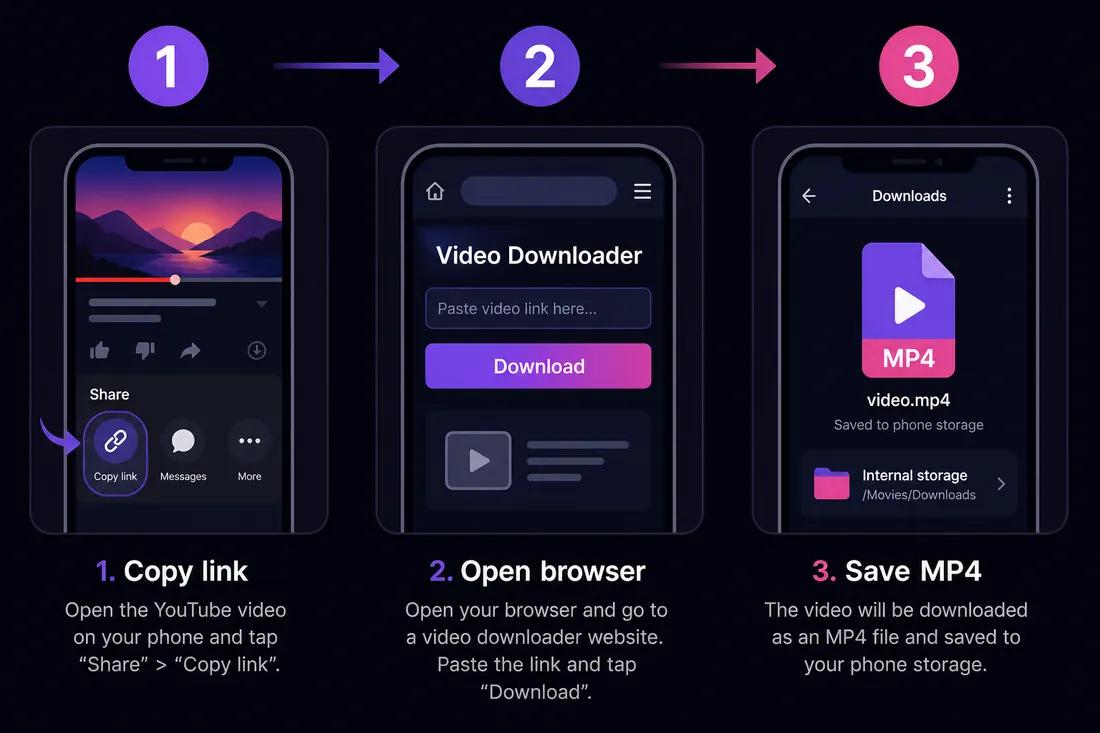
Copy the YouTube video link
Open the video in the YouTube app. Tap Share → Copy link. You can also open the video in your mobile browser and copy the URL from the address bar.
- 2
Open ClipSaver in your browser
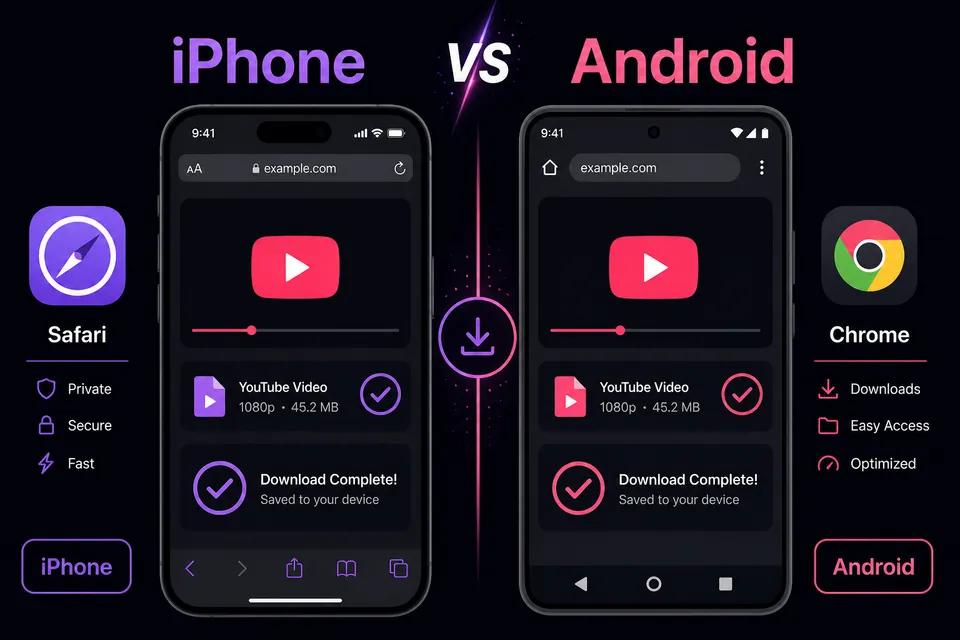
Switch to Safari (iPhone) or Chrome (Android) and go to ClipSaver’s YouTube video downloader. No separate downloader app is needed.
- 3
Paste the link and save the file
Paste the URL, tap Download, choose MP4 or MP3, and confirm the save. The file goes to your phone’s Downloads or Files folder.
Download a YouTube video to your phone now
Open our YouTube downloader in your mobile browser and paste your link — free.
Open YouTube Video DownloaderiPhone vs Android: Quick Differences
| Step | iPhone | Android |
|---|---|---|
| Best browser | Safari | Chrome or Samsung Internet |
| Where files land | Files → Downloads | Downloads folder or My Files |
| Add to Photos/Gallery | Share → Save Video | Open file → Share to Gallery |
| App needed? | No | No |
| YouTube Premium required? | No | No |
Download on iPhone
Use Safari for the smoothest download experience on iOS. After the MP4 saves, open Files, find the video in Downloads, tap Share, and choose Save Video to move it to your camera roll. For more iPhone-specific tips, see our YouTube download on iPhone guide.
Download on Android
Open Chrome, paste the YouTube link into ClipSaver, and download. Tap the notification or open the Downloads app to find your MP4. From there you can share it to Google Photos or any gallery app. Samsung users can use Samsung Internet with the same steps.
MP4 vs MP3 on Your Phone
Choose MP4 when you want the full video — tutorials, clips, or Shorts you want to watch offline. Choose MP3 when you only need audio, such as music, podcasts, or lectures. MP3 files are smaller and easier to store if you do not need the video track.
Tips for Phone Downloads
- Stay in your browser — avoid installing random “YouTube downloader” apps from app stores.
- Use Wi-Fi for large files to save mobile data.
- Pick 720p if storage is limited; the file will be much smaller than 1080p.
- Make sure the video is public — private or members-only content may not download.
- For Shorts, copy the Shorts link the same way; ClipSaver handles vertical videos too.
Frequently Asked Questions
Related download tools
ClipSaver is not affiliated with Instagram or Meta. Only download content you have the right to save.