
Can You Download YouTube Videos to Your Computer?
Yes. YouTube does not offer a built-in download button for most videos on desktop, but you can save public videos by copying the link and using a browser-based downloader like ClipSaver. The MP4 file lands in your Downloads folder on Windows or Mac — ready to play offline, edit, or share.
Only download content you own or have permission to save. ClipSaver is not affiliated with YouTube or Google.
How to Download YouTube Videos on Computer with ClipSaver
- 1
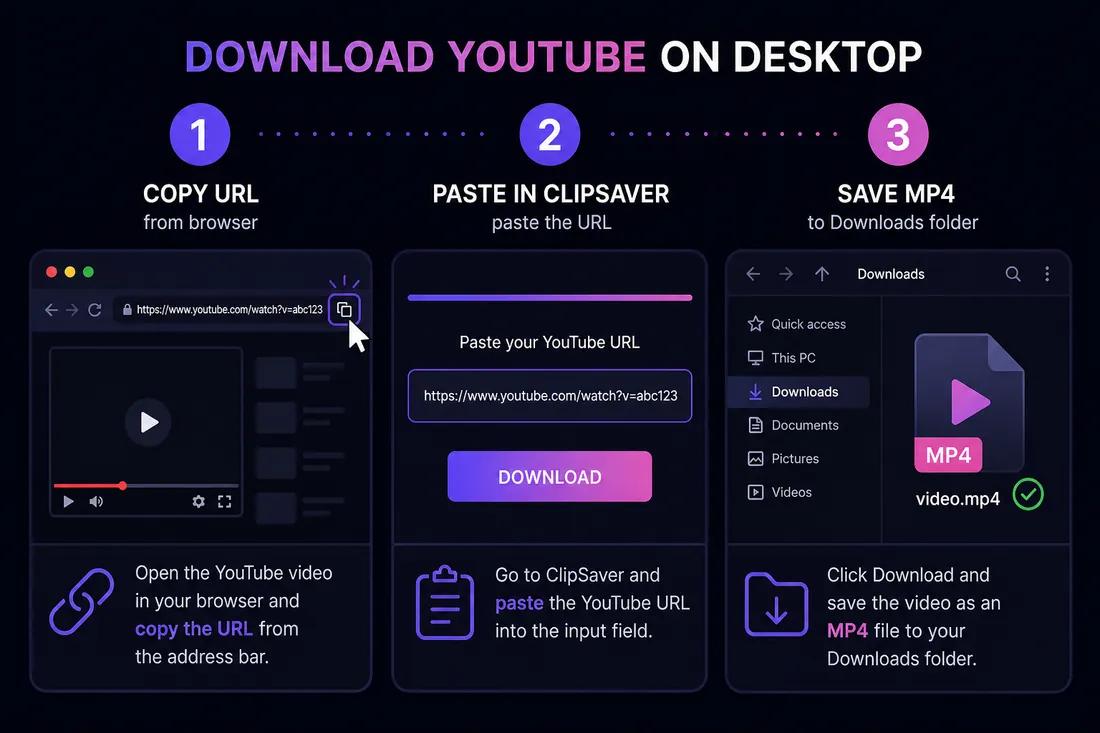
Copy the YouTube video URL
Open the video on youtube.com in your browser. Click the address bar and copy the full URL. You can also right-click the video and choose “Copy video URL” in some browsers.
- 2
Open ClipSaver in the same browser
Go to ClipSaver’s YouTube video downloader in a new tab. Works in Chrome, Firefox, Safari, and Edge on Windows and Mac.
- 3
Paste the link and save the file
Paste the URL, click Download, choose MP4 or MP3, and save to your Downloads folder. On Mac, files go to ~/Downloads; on Windows, to your user Downloads folder.
Download a YouTube video on your computer now
Paste your link on our YouTube tool page — free, works in any browser.
Open YouTube Video DownloaderWindows vs Mac
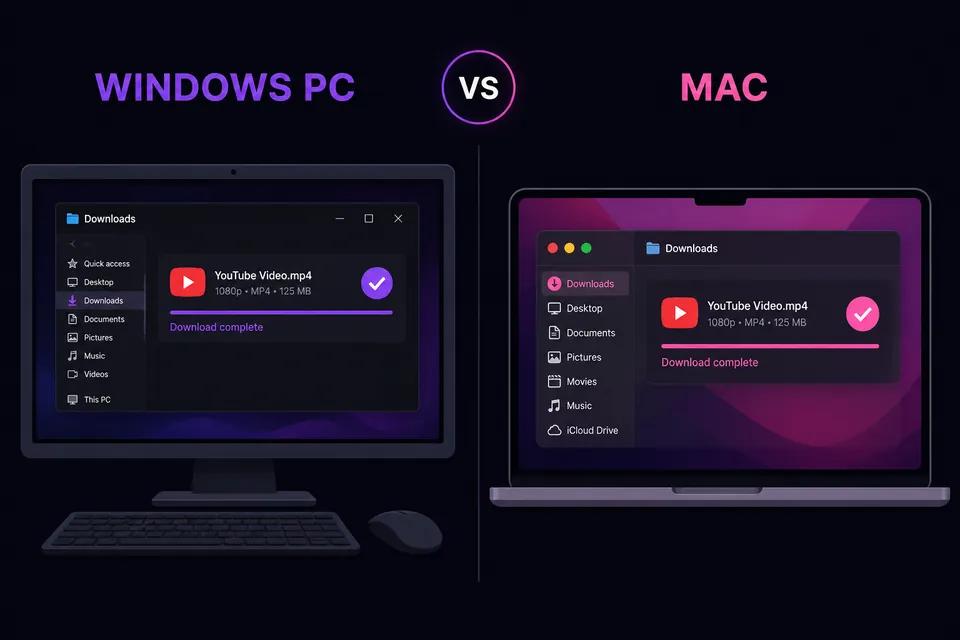
| Detail | Windows | Mac |
|---|---|---|
| Browsers | Chrome, Edge, Firefox | Safari, Chrome, Firefox |
| Default save location | Downloads folder | ~/Downloads |
| Software install needed | No | No |
| MP4 plays in | Movies & TV, VLC, browser | QuickTime, VLC, browser |
| MP3 saves to | Downloads | Downloads |
MP4 vs MP3 on Desktop
Choose MP4 when you want the full video — tutorials, lectures, or clips to watch offline in VLC or your default player. Choose MP3 when you only need audio for music, podcasts, or voiceovers. MP3 files are smaller and easier to import into iTunes, Music, or any media library.
Browser vs Desktop Software
Desktop converter programs often bundle ads, outdated codecs, or unwanted software. ClipSaver runs entirely in your browser — no install, no registry changes, and no admin permissions on Windows. For power users who prefer the command line, see our yt-dlp safety guide for comparison.
Tips for Computer Downloads
- Use the full youtube.com URL — youtu.be short links work too.
- Pick 1080p for quality or 720p for smaller files.
- If the download does not start, check your browser’s download bar or popup blocker.
- Organize files by moving MP4s from Downloads to a Videos folder after saving.
For phone downloads, see our YouTube to your phone guide.
Frequently Asked Questions
Related download tools
ClipSaver is not affiliated with Instagram or Meta. Only download content you have the right to save.