Can You Save Facebook Videos to Your Phone?
Yes. Facebook’s “Save video” option only stores clips inside the app — it does not put an MP4 on your phone. To save a video file to your camera roll or gallery, copy the post link and use a browser downloader like ClipSaver. This works on both iPhone and Android without installing a separate downloader app.
Only save videos you own or have permission to download. ClipSaver is not affiliated with Facebook or Meta.
How to Save Facebook Videos to Your Phone with ClipSaver
- 1
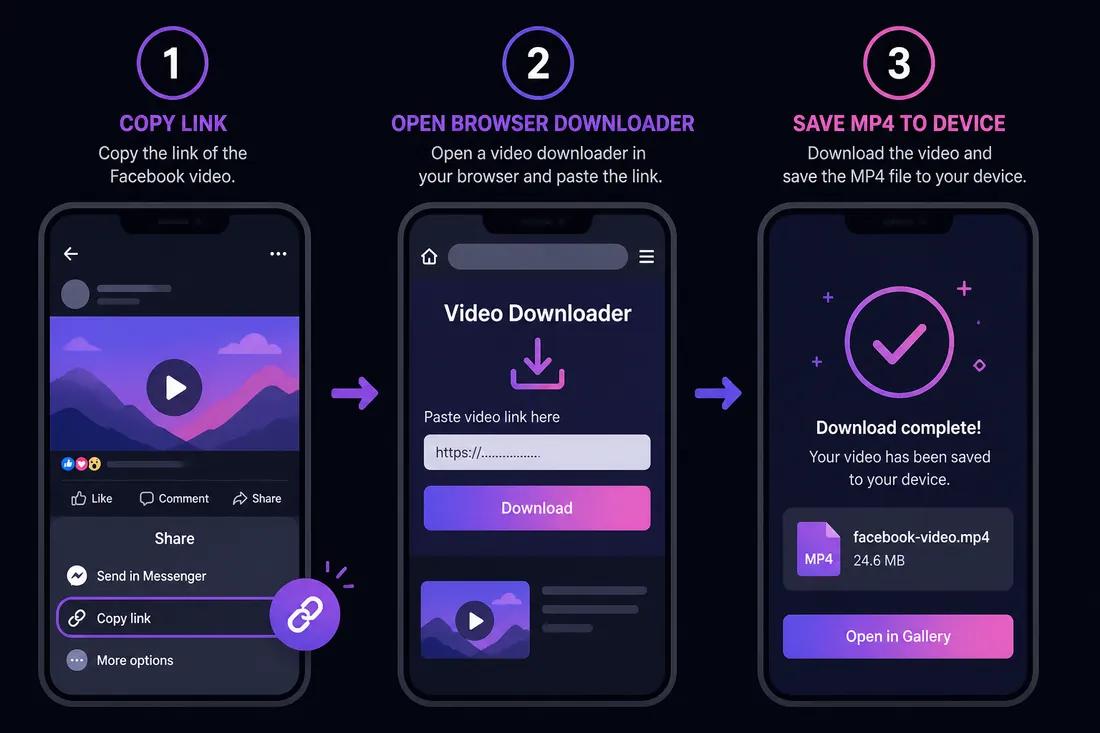
Copy the Facebook video link
Open the video post in the Facebook app. Tap Share or the three-dot menu, then choose “Copy link.” You can also open the post in your mobile browser and copy the URL.
- 2
Open ClipSaver in your browser
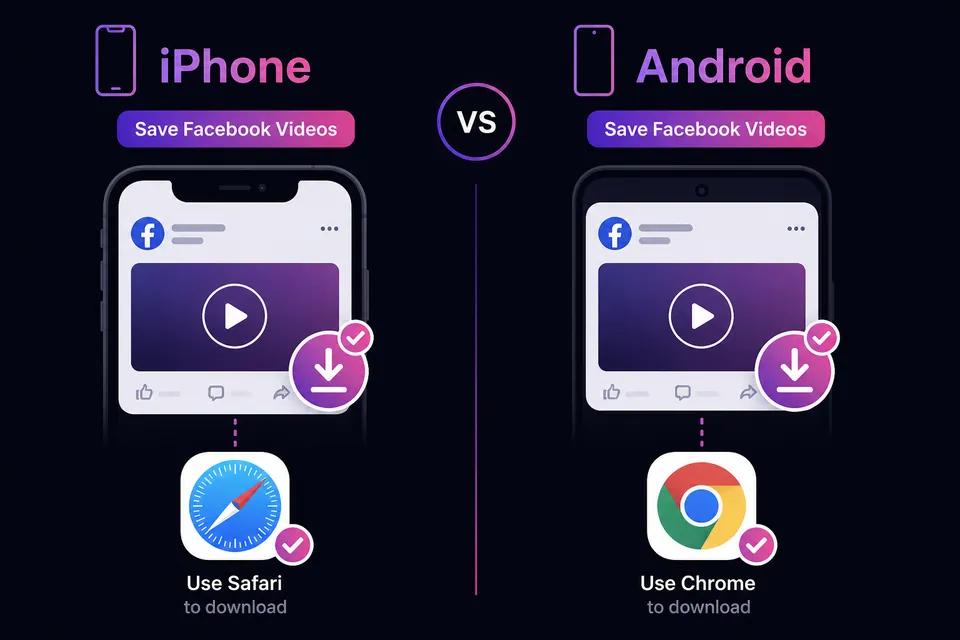
Switch to Safari (iPhone) or Chrome (Android) and go to ClipSaver’s Facebook video downloader. No app install is needed.
- 3
Paste the link and save the MP4
Paste the URL, tap Download, choose MP4, and save the file to your phone’s Downloads or Files folder.
Save a Facebook video to your phone now
Paste your link on our Facebook tool page — free, works on any phone.
Open Facebook Video DownloaderiPhone vs Android
| Step | iPhone | Android |
|---|---|---|
| Best browser | Safari | Chrome or Samsung Internet |
| Where files land | Files → Downloads | Downloads or My Files |
| Add to Photos/Gallery | Share → Save Video | Share to Gallery app |
| App needed? | No | No |
| Facebook login for download? | No | No |
Save to Camera Roll on iPhone
After the MP4 downloads, open the Files app, go to Downloads, tap the video, then Share → Save Video. This moves it to your Photos library. Safari handles downloads natively — no App Store downloader required.
Save to Gallery on Android
After downloading in Chrome, tap the notification or open the Downloads app. Find the MP4, tap Share, and choose Google Photos or your gallery app. Samsung users can use Samsung Internet with the same steps.
Feed Videos, Reels, and Live Videos
The same method works for feed videos and Facebook Reels. For Reels specifically, see our Facebook Reels download guide. Live videos can only be saved after the broadcast ends and a replay is posted — copy the link from the finished video post.
Tips for Phone Downloads
- Use “Copy link” from the official Share menu for the correct URL.
- Public posts and pages work best; friends-only or private content may fail.
- Use Wi-Fi for large videos to save mobile data.
- Avoid random “Facebook downloader” apps from app stores — browser tools are safer.
For desktop saving, see our Facebook video download guide.
Frequently Asked Questions
Related download tools
ClipSaver is not affiliated with Instagram or Meta. Only download content you have the right to save.