Can You Download Facebook Reels?
Yes. Facebook does not include a built-in “save Reel to camera roll” option for other people’s content, but you can download public Reels by copying the share link. ClipSaver reads that URL and gives you a downloadable MP4 file in vertical format.
Only download Reels you own or have permission to save. ClipSaver is not affiliated with Facebook or Meta.
How to Download Facebook Reels with ClipSaver
- 1
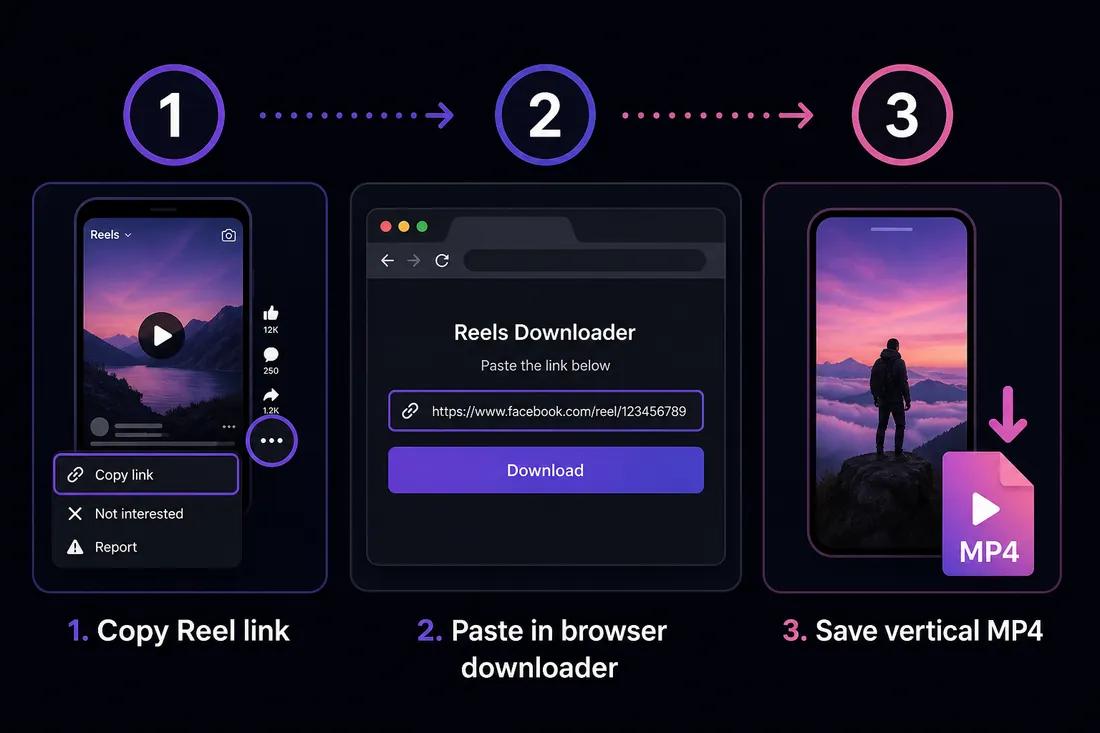
Copy the Facebook Reel link
Open the Reel in the Facebook app. Tap Share or the three-dot menu, then choose “Copy link.” On desktop, open the Reel on facebook.com and copy the URL from the address bar.
- 2
Open the Facebook video downloader
Go to ClipSaver’s Facebook video downloader in Safari, Chrome, or any browser on iPhone, Android, Windows, or Mac.
- 3
Paste the URL and download
Paste the copied link, click Download, choose MP4, and save the vertical Reel to your device.
Download a Facebook Reel now
Paste your Reel link on our Facebook tool page — free, no login required.
Open Facebook Video DownloaderFacebook Reels vs Feed Videos
Reels are short vertical videos, similar to Instagram Reels or YouTube Shorts. The copy-link method is the same for Reels and regular feed videos — ClipSaver detects the content type when you paste the URL. For longer Facebook videos, the same Facebook video downloader page handles both.
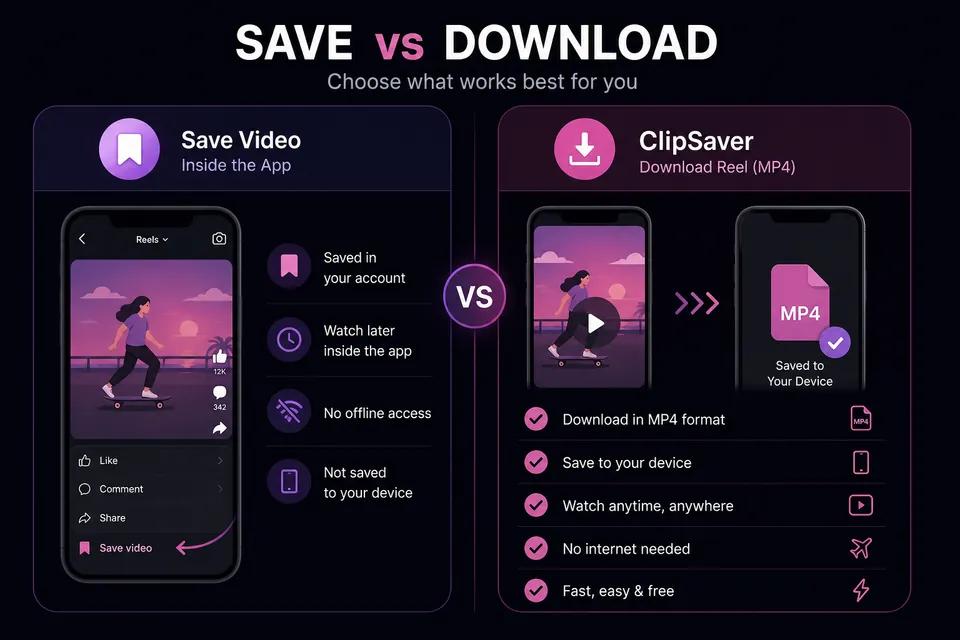
Save Reel vs Download with ClipSaver
| Feature | Facebook “Save video” | ClipSaver |
|---|---|---|
| MP4 on your device | No — saved inside Facebook | Yes |
| Works without the app | No | Yes — any browser |
| Share offline with others | No | Yes — you own the file |
| Account required | Yes | No |
| Vertical Reel format kept | In-app only | Yes — in MP4 |
Tips for Downloading Facebook Reels
- Use the official “Copy link” option from the Share menu.
- Public Reels and pages work best. Private profiles and friends-only content may not download.
- On iPhone, move the MP4 from Files to Photos using Share → Save Video.
- On Android, find the file in Downloads and share to your gallery app.
- If a download fails, confirm the Reel is still public and copy a fresh link.
Downloading Reels on iPhone, Android, and Desktop
iPhone and Android
Copy the Reel link in the Facebook app, open ClipSaver in your mobile browser, paste the URL, and tap Download. No app store Reels downloader is needed.
Windows and Mac
Open the Reel on facebook.com, copy the post URL, paste it into ClipSaver, and save the MP4 to your Downloads folder.
Frequently Asked Questions
Related download tools
ClipSaver is not affiliated with Instagram or Meta. Only download content you have the right to save.