Can You Download YouTube Videos for Free?
Yes. ClipSaver downloads public YouTube videos at no cost in your browser. You do not need YouTube Premium, a paid downloader app, or an account. Copy the video link, paste it on ClipSaver, pick MP4 or MP3, and save the file — the entire process is free.
Only download content you own or have permission to save. ClipSaver is not affiliated with YouTube or Google.
How to Download YouTube Videos for Free with ClipSaver
- 1
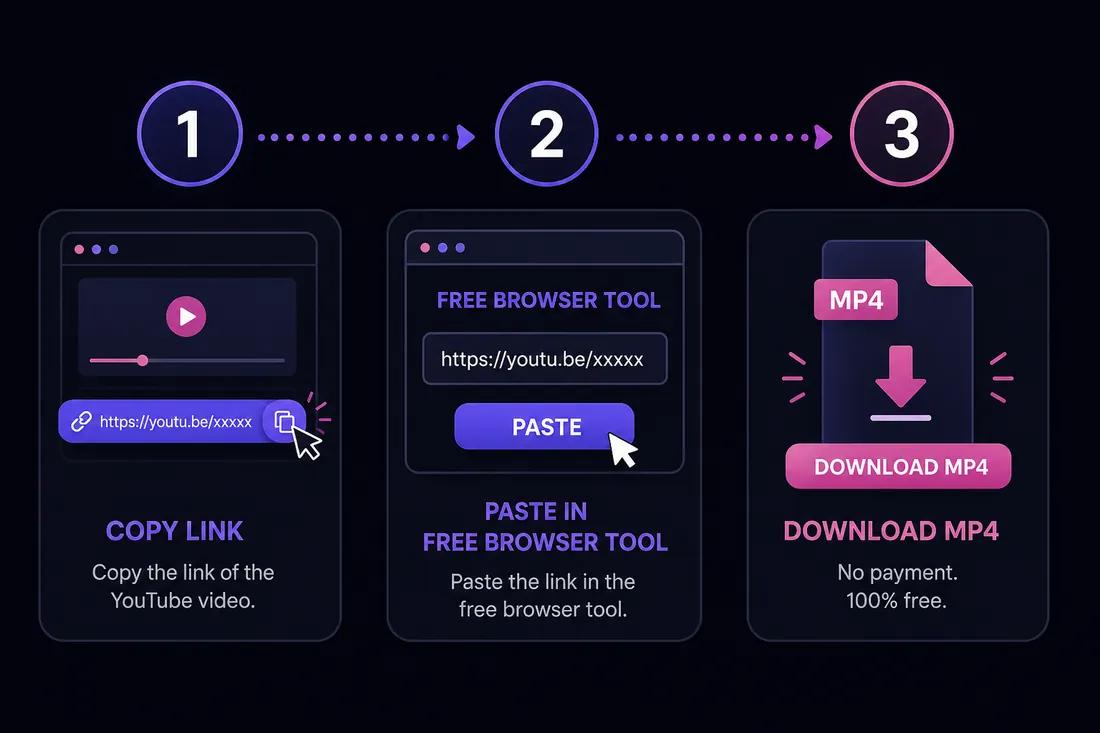
Copy the YouTube video link
Open the video on YouTube. Tap Share → Copy link on mobile, or copy the URL from your browser’s address bar on desktop.
- 2
Open ClipSaver in your browser
Go to ClipSaver’s YouTube video downloader on iPhone, Android, Windows, or Mac. No app install or signup is needed.
- 3
Paste the URL and download
Paste the link, click Download, choose MP4 for video or MP3 for audio, and save the file to your device at no charge.
Download a YouTube video free now
Paste your link on ClipSaver — 100% free, no hidden fees.
Open YouTube Video DownloaderFree Download vs Paid Options
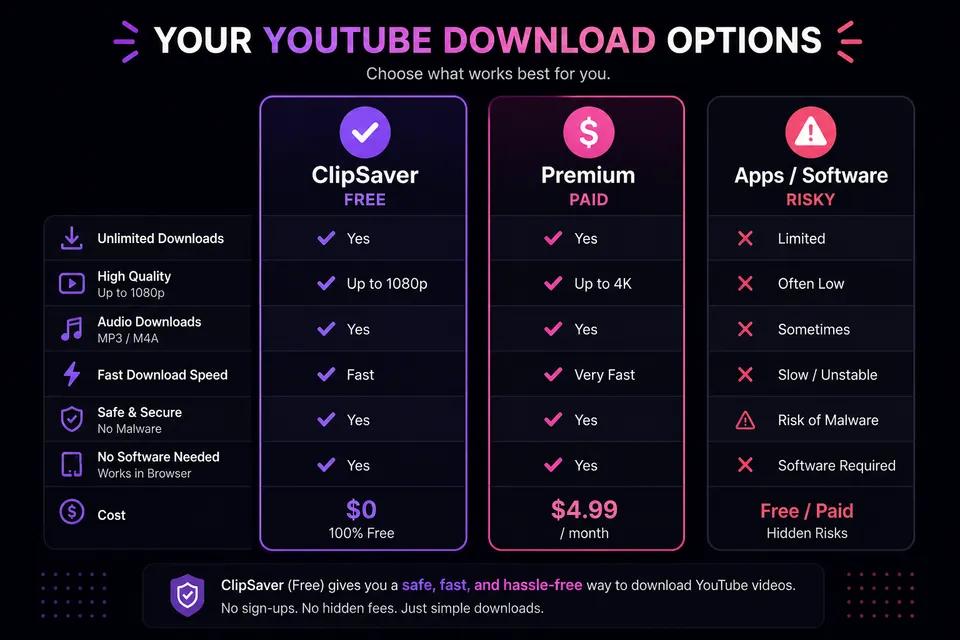
| Option | Cost | Gives you an MP4 file |
|---|---|---|
| ClipSaver (browser) | Free | Yes |
| YouTube Premium offline | Paid monthly | No — in-app only |
| App Store downloaders | Often free with ads or paid | Varies |
| Desktop converter software | Often paid or ad-supported | Yes |
What You Can Download for Free
- Regular YouTube videos — tutorials, vlogs, music videos, and clips.
- YouTube Shorts — copy the Shorts link the same way.
- MP3 audio — select MP3 instead of MP4 for music or podcasts.
- Public content only — private or members-only videos may not be available.
Tips for Free YouTube Downloads
- Avoid paid downloader apps — ClipSaver works free in your browser.
- Use Share → Copy link for the correct URL every time.
- Pick 720p for smaller free downloads; 1080p when quality matters.
- On mobile, use Safari or Chrome — no app store install required.
For more detail, see our guides on downloading without Premium and downloading MP3 from YouTube.
Is “Free” Really Free?
ClipSaver does not charge for downloads and does not require a credit card or subscription. There are no per-download fees. The service is supported by running in your browser like any website — you pay nothing to save MP4 or MP3 files from public YouTube videos you are allowed to download.
Frequently Asked Questions
Related download tools
ClipSaver is not affiliated with Instagram or Meta. Only download content you have the right to save.