Can You Download MP3 from YouTube?
Yes. YouTube streams video and audio together, but a downloader can extract just the audio and save it as MP3. ClipSaver reads the video link, pulls the audio track, and gives you a downloadable MP3 file. This works for music, podcasts, lectures, interviews, and any public YouTube video with audio.
Only download audio from content you own or have permission to save. ClipSaver is not affiliated with YouTube or Google.
How to Download MP3 from YouTube with ClipSaver
- 1
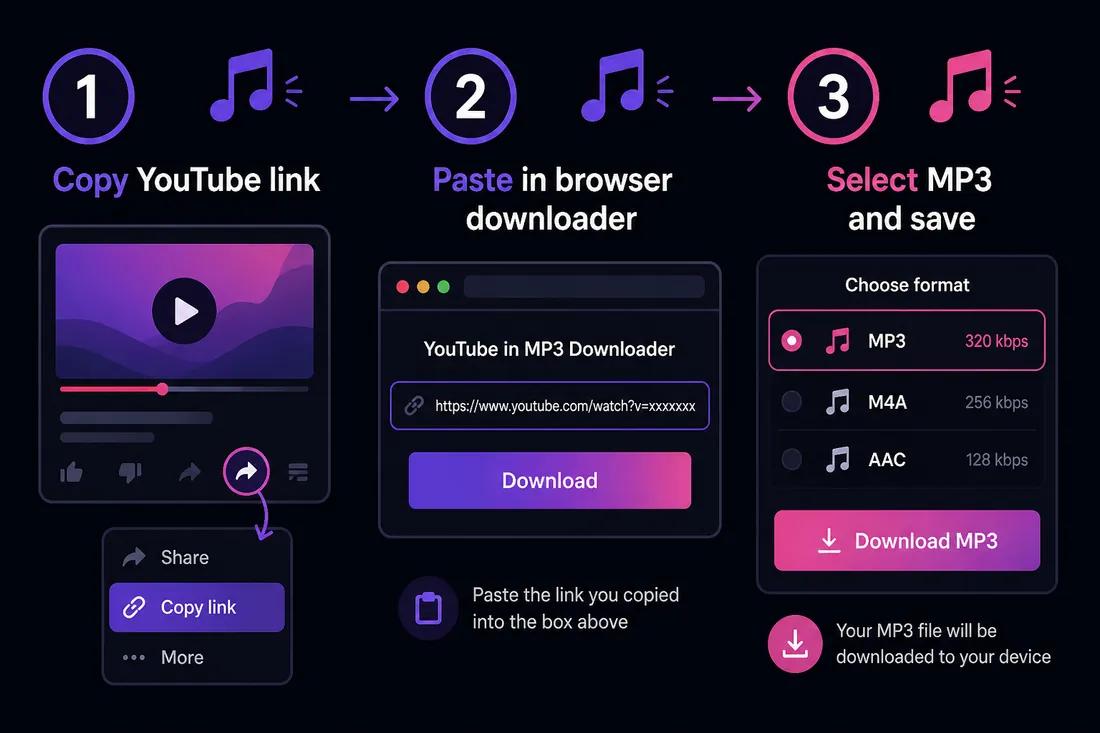
Copy the YouTube video link
Open the video on YouTube. Tap Share → Copy link on mobile, or copy the URL from your browser’s address bar on desktop.
- 2
Open ClipSaver’s YouTube downloader
Go to ClipSaver in Safari, Chrome, or any browser on iPhone, Android, Windows, or Mac. No converter app install is needed.
- 3
Select MP3 and download
Paste the link, click Download, choose MP3 from the format list, and save the file to your device.
Download MP3 from YouTube now
Paste your link on our YouTube tool page and pick MP3 — free, no login.
Open YouTube Video DownloaderMP3 vs MP4: Which Should You Choose?
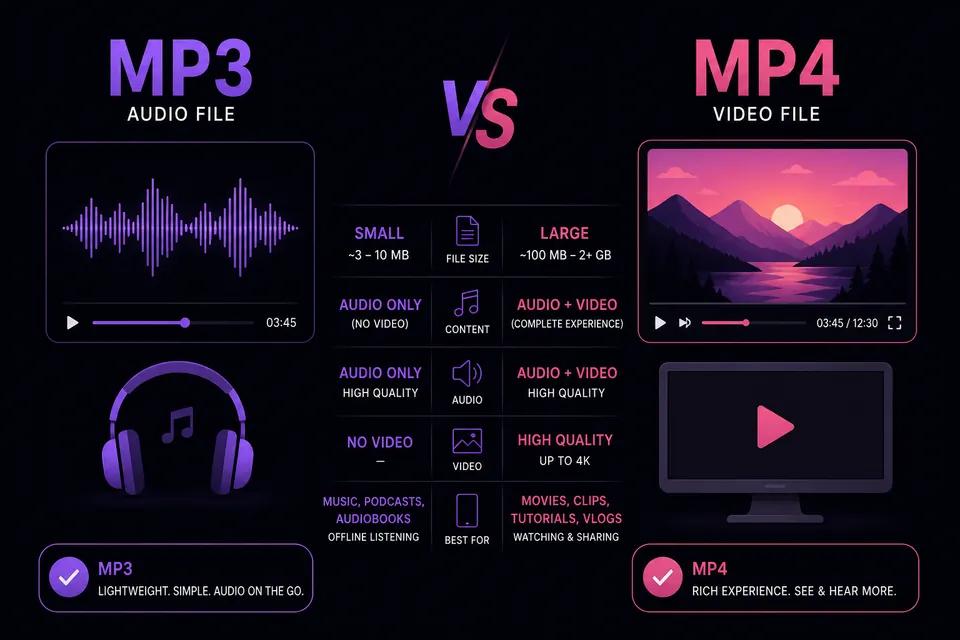
| Format | Best for | File size | Contains video |
|---|---|---|---|
| MP3 | Music, podcasts, lectures, audiobooks | Small | No — audio only |
| MP4 | Tutorials, music videos, clips you want to watch | Larger | Yes — video + audio |
What MP3 Quality Can You Expect?
ClipSaver extracts the best available audio stream from the YouTube video. Quality depends on what the uploader provided — most music videos offer good stereo audio. MP3 is compressed, so files are much smaller than downloading the full MP4 and converting later.
Tips for YouTube MP3 Downloads
- Use MP3 when you only need sound — saves storage on your phone.
- For music, copy the link from the official video, not a lyric or reaction clip, for the best audio.
- Podcasts and long interviews download faster as MP3 than full video.
- On iPhone, MP3 files save to Files or Downloads — open them in any music player app.
- If you need the video too, select MP4 instead of MP3 on the format list.
Download MP3 on Phone and Desktop
iPhone and Android
Copy the YouTube link, open ClipSaver in your mobile browser, paste the URL, and choose MP3. The file downloads to your phone’s storage. No App Store or Play Store converter is required.
Windows and Mac
Copy the video URL from youtube.com, paste it into the YouTube video downloader, select MP3, and save to your Downloads folder.
Frequently Asked Questions
Related download tools
ClipSaver is not affiliated with Instagram or Meta. Only download content you have the right to save.