Can You Download a Facebook Live Video?
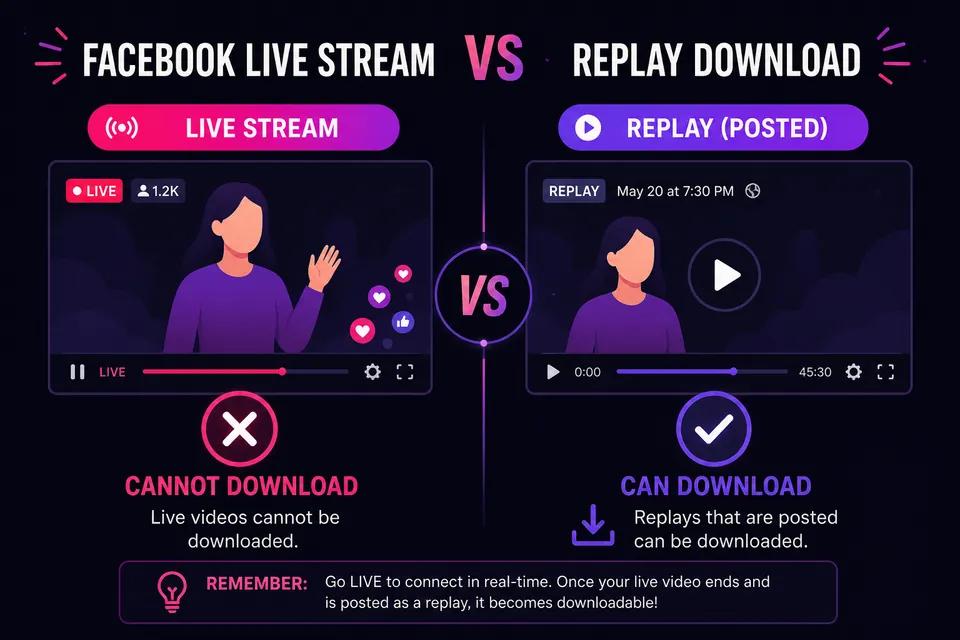
Yes — but usually only after the live stream ends. Facebook saves most live broadcasts as replay posts you can open later. Copy the link from that replay post and use ClipSaver to download the MP4. You generally cannot download a stream that is still live; wait until the broadcaster finishes and the replay appears on their page or in your feed.
Only download live videos you own or have permission to save. ClipSaver is not affiliated with Facebook or Meta.
How to Download Facebook Live Video with ClipSaver
- 1
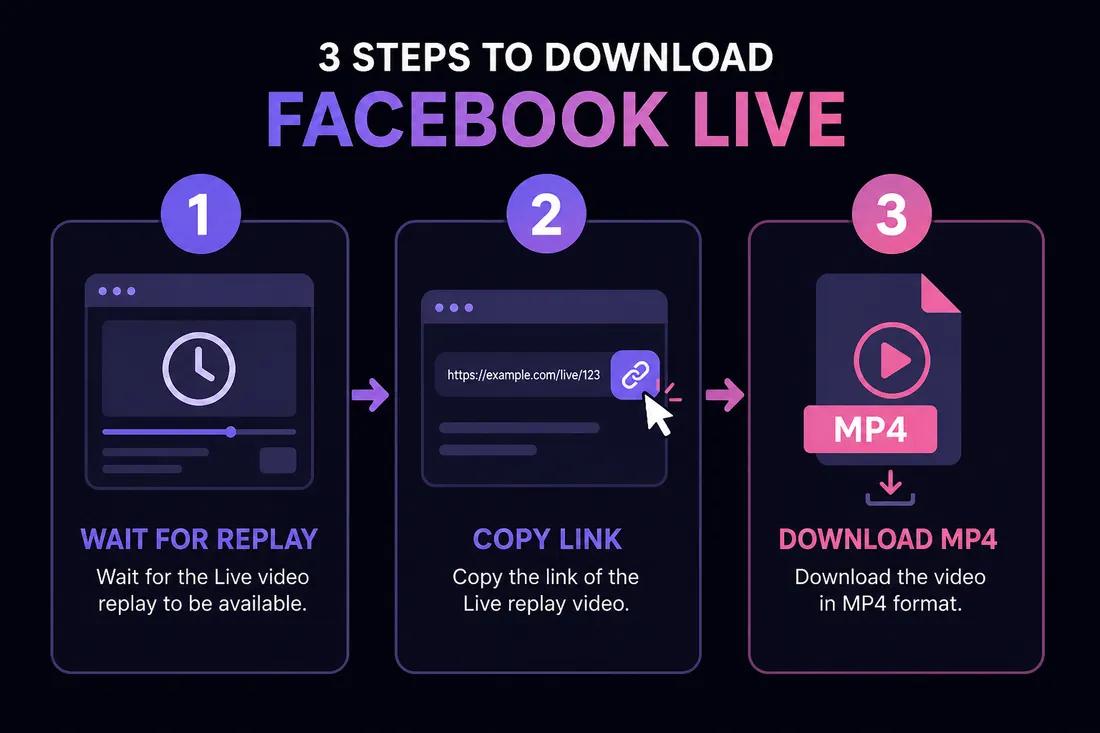
Wait for the live stream to end
Open the page or profile where the live was hosted. After the broadcast finishes, Facebook posts a replay video — usually within a few minutes. Refresh the page if you do not see it yet.
- 2
Copy the replay post link
Tap Share → Copy link on the replay post in the Facebook app, or copy the URL from your browser’s address bar on desktop.
- 3
Paste into ClipSaver and download
Open ClipSaver’s Facebook video downloader, paste the replay URL, click Download, choose MP4, and save the file to your device.
Download a Facebook Live replay now
Paste the replay link on our Facebook tool page — free, no login.
Open Facebook Video DownloaderLive Stream vs Replay: What Works
| Situation | Can you download? | What to do |
|---|---|---|
| Stream is still live | Usually no | Wait until it ends |
| Replay posted on page | Yes | Copy replay link → ClipSaver |
| Live removed by host | No | Video no longer available |
| Private or friends-only live | Often no | Must have access to the post |
| Public page live replay | Yes | Copy link from the replay post |
Finding the Replay Link
From a Page or Profile
Go to the page or profile that hosted the live. Look in Videos or the main timeline for the replay post. Open it, then copy the link from Share or the browser address bar.
From your News Feed
If you watched the live in your feed, scroll back to the replay post after it ends. Tap the timestamp or Share → Copy link. The URL should open the specific video post, not just the profile.
Tips for Facebook Live Downloads
- Do not try to download while the red “Live” badge is still showing — wait for the replay.
- Long live streams produce large MP4 files; use Wi-Fi on mobile.
- If the host deletes the replay, the download will no longer work.
- Public pages and events work best; private group lives may be restricted.
For regular Facebook videos and Reels, see our Facebook video download guide and Facebook Reels guide.
Downloading on Phone and Desktop
On iPhone or Android, copy the replay link in the Facebook app, open ClipSaver in your browser, paste the URL, and tap Download. On Windows or Mac, copy the post URL from facebook.com and paste it into the Facebook video downloader.
Frequently Asked Questions
Related download tools
ClipSaver is not affiliated with Instagram or Meta. Only download content you have the right to save.