Is YTMP3 Safe to Use?
YTMP3 has been used for years to rip audio from YouTube videos. Many people get MP3 files without issues. That does not mean every YTMP3 URL is trustworthy. Clone sites, pop-up ads, and deceptive download buttons are the biggest safety problems — especially on mobile where mis-taps are easy.
ClipSaver is not affiliated with YTMP3. This article explains the risks so you can decide what works for you.
Common Safety Concerns with YTMP3
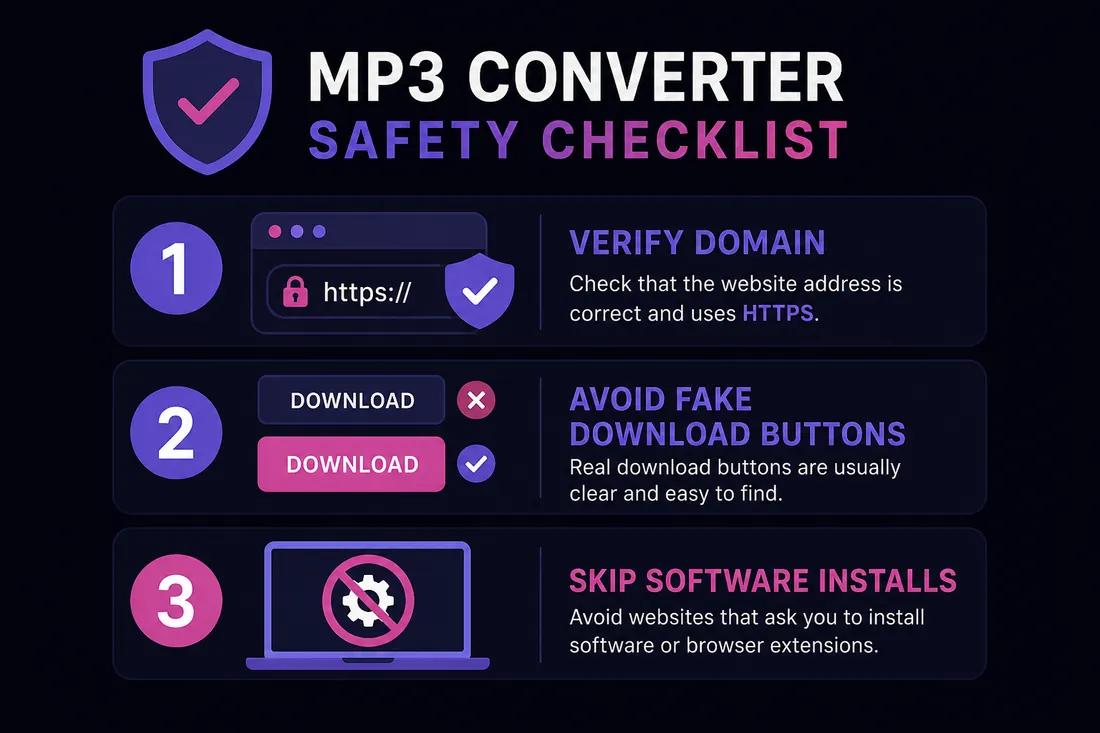
- Aggressive pop-up ads and banners that look like real Download buttons.
- Copycat domains (ytmp3.cc, ytmp3.nu variants) that may behave differently from the original.
- Redirects through ad networks before the MP3 file downloads.
- Requests to install browser extensions or “codec packs” — legitimate converters do not need these.
- Unclear privacy policies on some mirror sites — unknown what URLs or data are logged.
Red Flags on Any MP3 Converter Site
- 1
Multiple Download buttons before you paste a URL
Real tools show an input field first. If you see several large Download buttons on an empty page, they are usually ads.
- 2
Prompts to install software or extensions
You should not need a desktop app to convert a YouTube link to MP3 in your browser. Be wary of installers.
- 3
Misspelled or unusual domain names
Type the URL yourself or use a bookmark. Search results often lead to clone sites with extra ads or worse.
YTMP3 vs ClipSaver
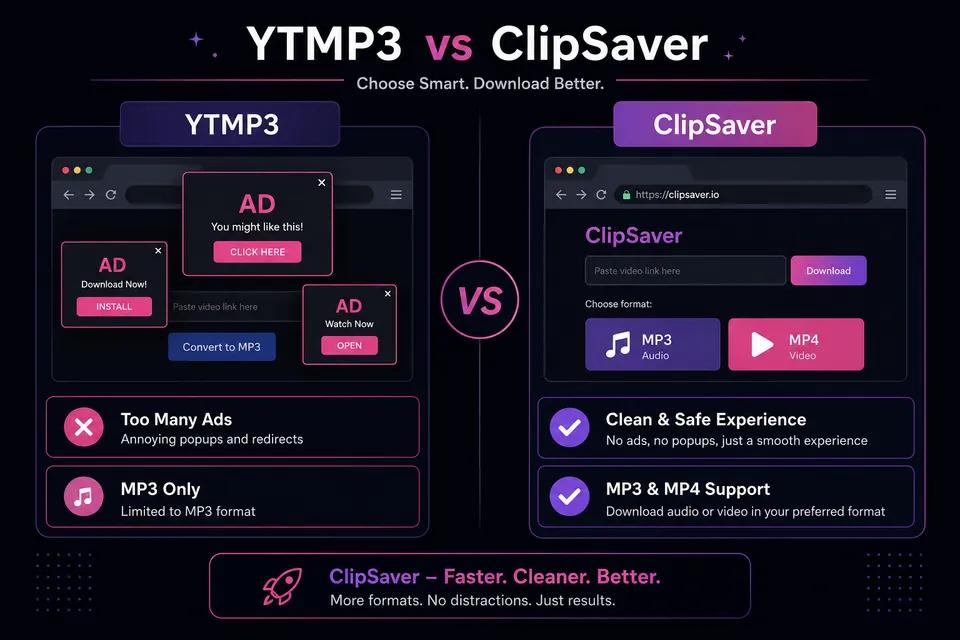
| Feature | YTMP3 | ClipSaver |
|---|---|---|
| MP3 audio extraction | Yes | Yes |
| MP4 video download | Limited or separate tools | Yes |
| Runs in browser | Yes | Yes |
| Ad-heavy interface | Often | Minimal |
| Multiple platforms | Mostly YouTube | YouTube, TikTok, Instagram, Facebook, X |
| Software install | Sometimes promoted | No |
Try a cleaner browser alternative
Paste any public video link on ClipSaver — download MP3 or MP4 free, no install.
Open ClipSaverIs Converting YouTube to MP3 Legal?
Safety and legality are different questions. Downloading copyrighted music without permission may violate copyright law and YouTube’s Terms of Service — regardless of whether you use YTMP3, ClipSaver, or another tool. Only convert audio from videos you own, have rights to, or that are explicitly licensed for reuse. See our guide on YouTube download legality for more detail.
How to Get MP3 from YouTube More Safely
- Use a trusted browser tool instead of random search-result sites.
- Do not click the first large Download button if you have not pasted a URL yet.
- Skip browser extensions and codec installers.
- Only convert content you have the right to save.
For a direct MP3 workflow, use ClipSaver’s YouTube video downloader and select MP3 from the format list.
The Bottom Line
YTMP3 can work for YouTube-to-MP3 conversion, but safety varies by which domain you land on. Ads, clone sites, and fake buttons create real risk — especially for less technical users. ClipSaver offers a free browser-based alternative for MP3 and MP4 across multiple platforms, with fewer ad traps and no software install. Always respect copyright and only download content you are allowed to save.
Frequently Asked Questions
Related download tools
ClipSaver is not affiliated with Instagram or Meta. Only download content you have the right to save.