Can You Download YouTube Shorts?
Yes. YouTube does not offer a built-in download button for Shorts, but you can save public Shorts by copying the share link. ClipSaver reads that URL and gives you a downloadable MP4 file. The video keeps its vertical format, so it plays correctly on your phone.
Only download Shorts you own or have permission to save. ClipSaver is not affiliated with YouTube or Google.
How to Download YouTube Shorts with ClipSaver
- 1
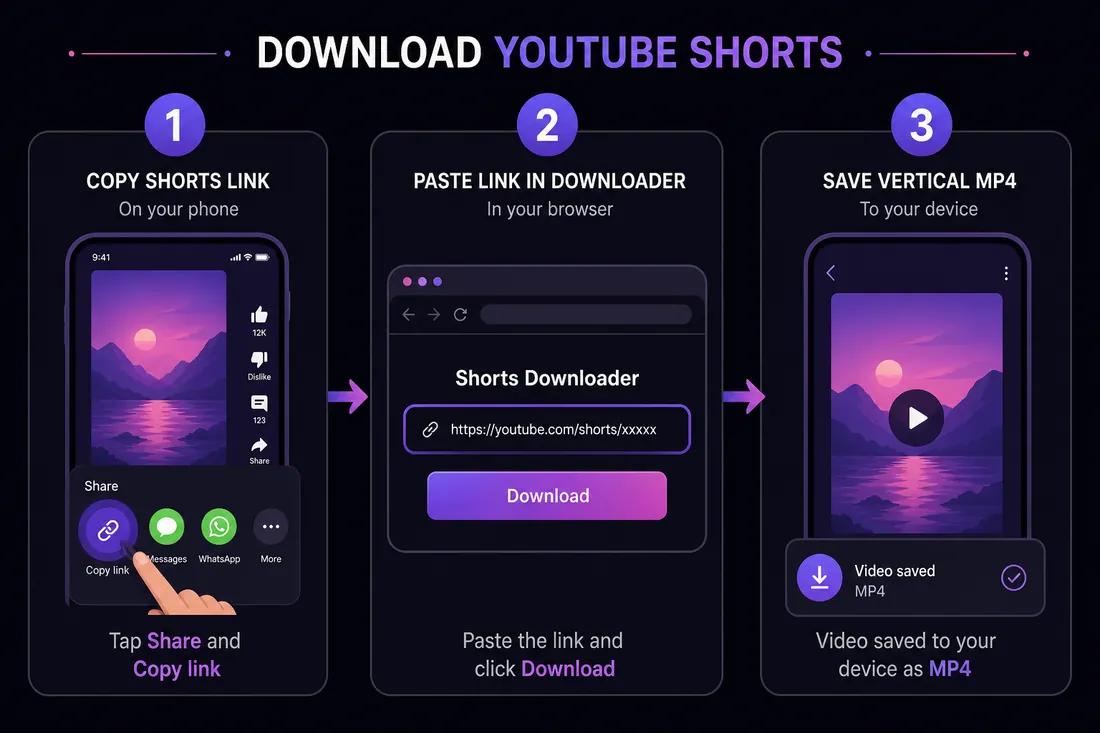
Copy the Shorts link
Open the Short in the YouTube app. Tap Share → Copy link. On desktop, open the Short on youtube.com/shorts/… and copy the URL from the address bar.
- 2
Open the YouTube Shorts downloader
Go to ClipSaver’s YouTube Shorts downloader in Safari, Chrome, or any browser. It works on iPhone, Android, Windows, and Mac.
- 3
Paste the URL and save the MP4
Paste the link, click Download, choose MP4, and save the vertical video to your device.
Download a YouTube Short now
Paste your Shorts link on our dedicated tool page — free, no login.
Open YouTube Shorts DownloaderShorts vs Regular YouTube Videos
Shorts are vertical videos under 60 seconds. The download method is the same — copy link, paste, download — but Shorts save in portrait orientation. For long-form videos, use our YouTube video downloader instead.
ClipSaver vs YouTube Premium for Shorts
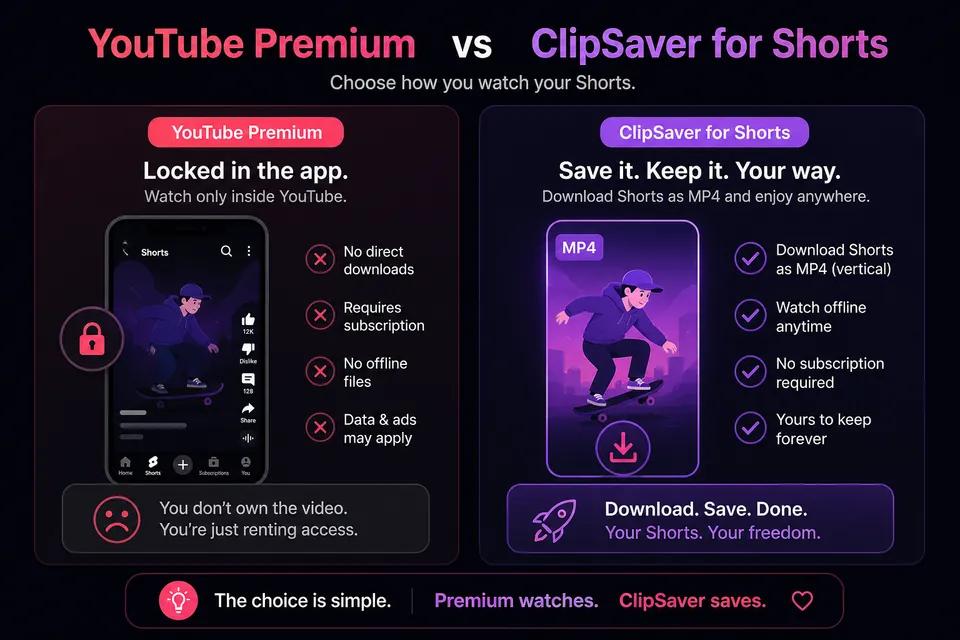
| Feature | YouTube Premium | ClipSaver |
|---|---|---|
| Download Shorts as MP4 | No — in-app offline only | Yes |
| Works in browser | No | Yes |
| Keep file after canceling | No | Yes — you own the MP4 |
| Cost | Paid monthly | Free |
| Account required | Yes | No |
Tips for Downloading YouTube Shorts
- Use Share → Copy link from the Shorts player — not a screenshot or screen recording.
- Shorts URLs contain /shorts/ in the path; both mobile share links and desktop URLs work.
- On iPhone, save to Photos via Files → Share → Save Video after downloading.
- Pick MP3 instead of MP4 if you only need the audio from a Short.
- Public Shorts download reliably; private or deleted content will fail.
Downloading Shorts on Phone and Desktop
iPhone and Android
Copy the Shorts link in the YouTube app, open ClipSaver in your mobile browser, paste the URL, and tap Download. The vertical MP4 saves to your Downloads or Files folder.
Windows and Mac
Open the Short on youtube.com, copy the URL, paste it into the YouTube Shorts downloader, and save the MP4 to your Downloads folder.
Frequently Asked Questions
Related download tools
ClipSaver is not affiliated with Instagram or Meta. Only download content you have the right to save.