Can You Download TikTok Videos Without a Watermark?
Yes. TikTok’s built-in “Save video” option often adds a watermark with the creator’s username. Browser downloaders like ClipSaver pull the source video and give you a clean MP4 without that overlay. This works for public TikToks on iPhone, Android, Windows, and Mac.
Only download videos you own or have permission to save. ClipSaver is not affiliated with TikTok or ByteDance.
How to Download TikTok Without Watermark Using ClipSaver
- 1
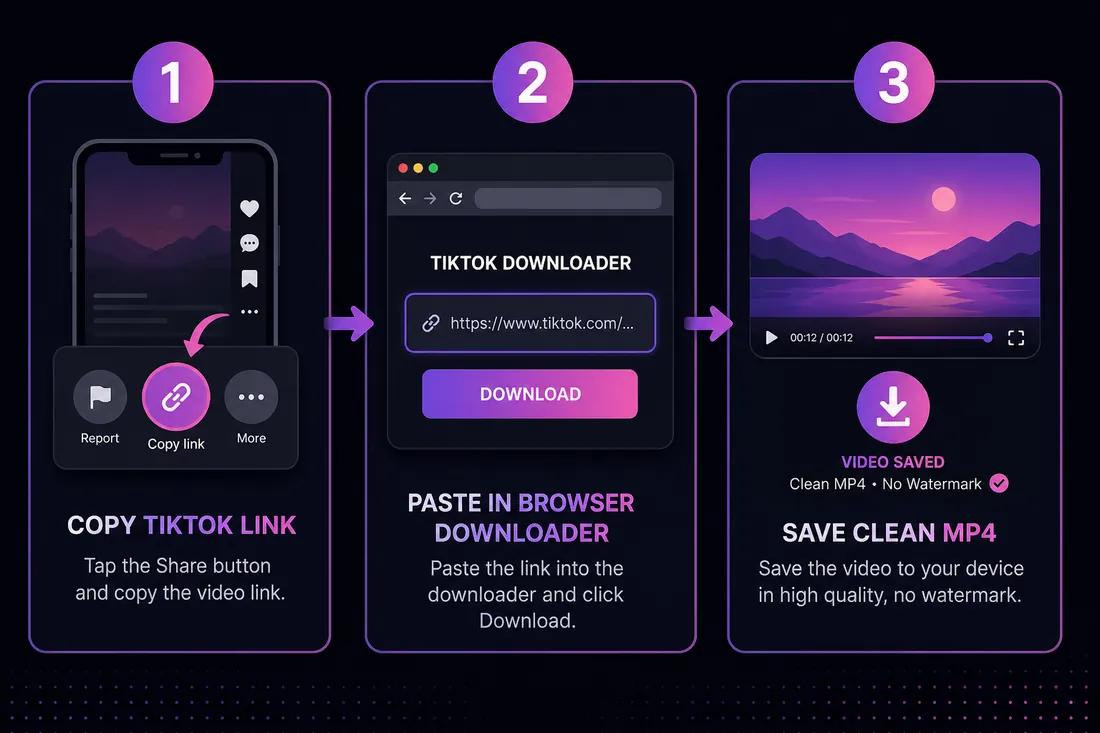
Copy the TikTok video link
Open the video in the TikTok app. Tap Share → Copy link. On desktop, open the video on tiktok.com and copy the URL from the address bar.
- 2
Open ClipSaver’s TikTok downloader
Go to ClipSaver in Safari, Chrome, or any browser. No TikTok downloader app from the app store is needed.
- 3
Paste the URL and download
Paste the link, click Download, choose MP4, and save the watermark-free video to your device.
Download a TikTok without watermark now
Paste your link on our TikTok tool page — free, no login.
Open TikTok Video DownloaderTikTok Save vs Watermark-Free Download
| Feature | TikTok “Save video” | ClipSaver |
|---|---|---|
| Watermark on file | Often yes | No — clean MP4 |
| Works on desktop | Limited | Yes — any browser |
| MP3 audio only | No | Yes |
| Account required | Yes | No |
| File you own and can edit | Watermarked copy | Yes — clean file |
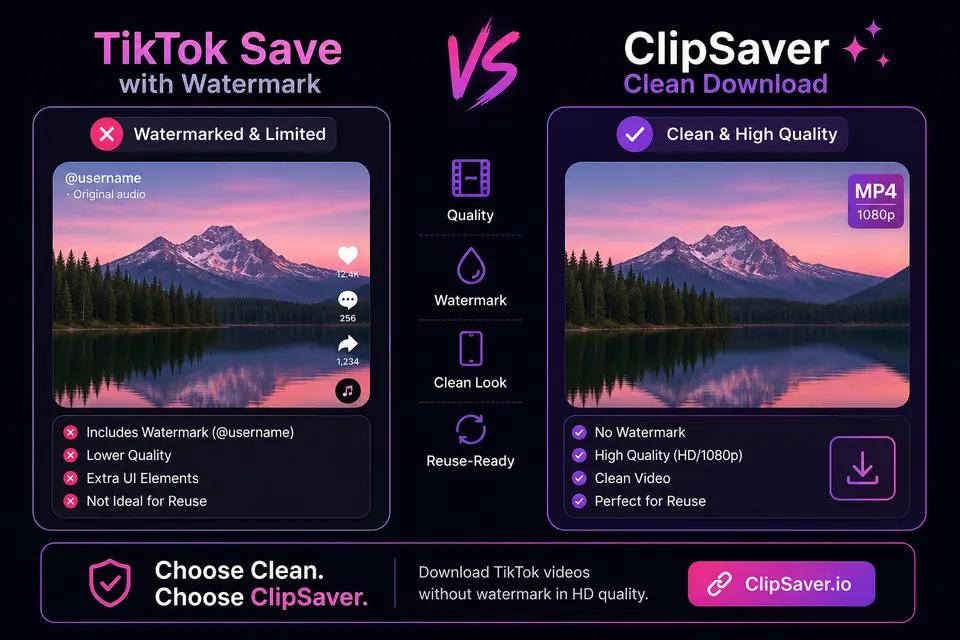
Why Remove the TikTok Watermark?
- Reuse your own TikToks on other platforms without the logo overlay.
- Edit clips in CapCut, iMovie, or other apps without a burned-in username.
- Share videos in presentations or messages with a cleaner look.
- Archive your content with the original quality before reposting.
- Always credit the original creator when sharing someone else’s work.
Download on Phone and Computer
iPhone and Android
Copy the TikTok link in the app, open ClipSaver in your mobile browser, paste the URL, and tap Download. Save the MP4 to Files or Downloads, then move to Photos if needed.
Windows and Mac
Copy the video URL from tiktok.com, paste it into the TikTok video downloader, and save the watermark-free MP4 to your Downloads folder.
Tips for Watermark-Free TikTok Downloads
- Use “Copy link” from the Share menu — not a screenshot or screen recording.
- Public videos download reliably; private or friends-only posts may fail.
- If a download fails, copy a fresh link and try again.
- Choose MP3 on ClipSaver if you only need the sound from a TikTok.
- Respect copyright — only download content you are allowed to save.
Frequently Asked Questions
Related download tools
ClipSaver is not affiliated with Instagram or Meta. Only download content you have the right to save.